Features · Sheet index

The whole drawing set.

Interior design studio software in nine modules that share one set of projects, people and money, so nothing is entered twice.

Projects & locations

Every project, from first drawing to handover.

Each client engagement gets its own reference code, team and lead, its locations pinned on the map, and a status your studio names itself.

  • Reference codes like PRJ-0042, issued in sequence and editable
  • A project team and one accountable project lead
  • Your own project statuses: Design, Execution, Handover, or whatever you call them
  • Several locations per project, each with its map pin and contacts
  • Project files and folders: drawing sets, site reports, supplier bills
  • A timeline of every project's span and dated milestones
  • Archive finished work without losing anything attached to it
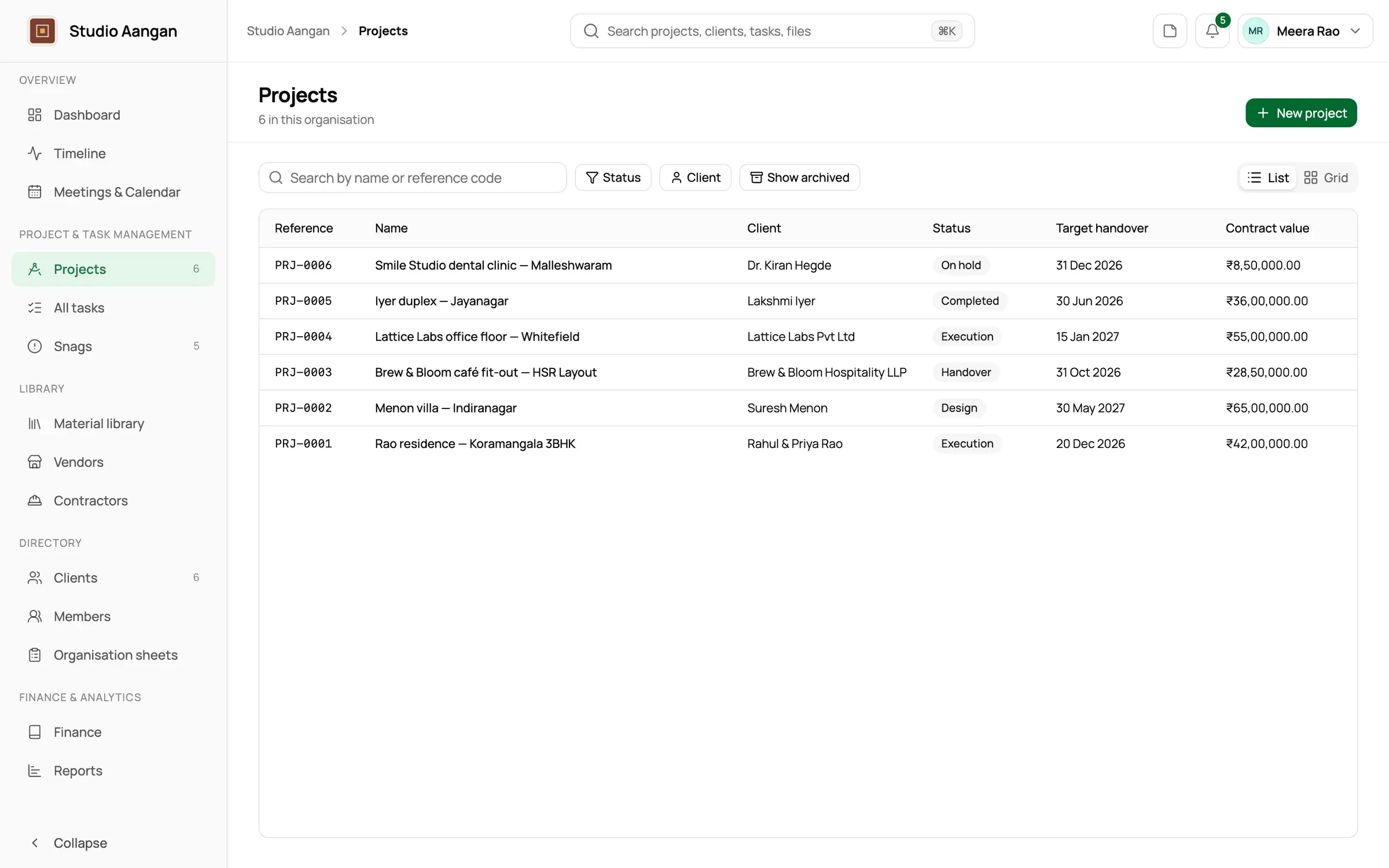
The DoYourDesign projects list showing six interior projects with status, client and handover date
SheetA-101TitleProjects & locations · Studio AanganScaleNTSdoyourdesign

Illustration · Each Location keeps its pin on the map

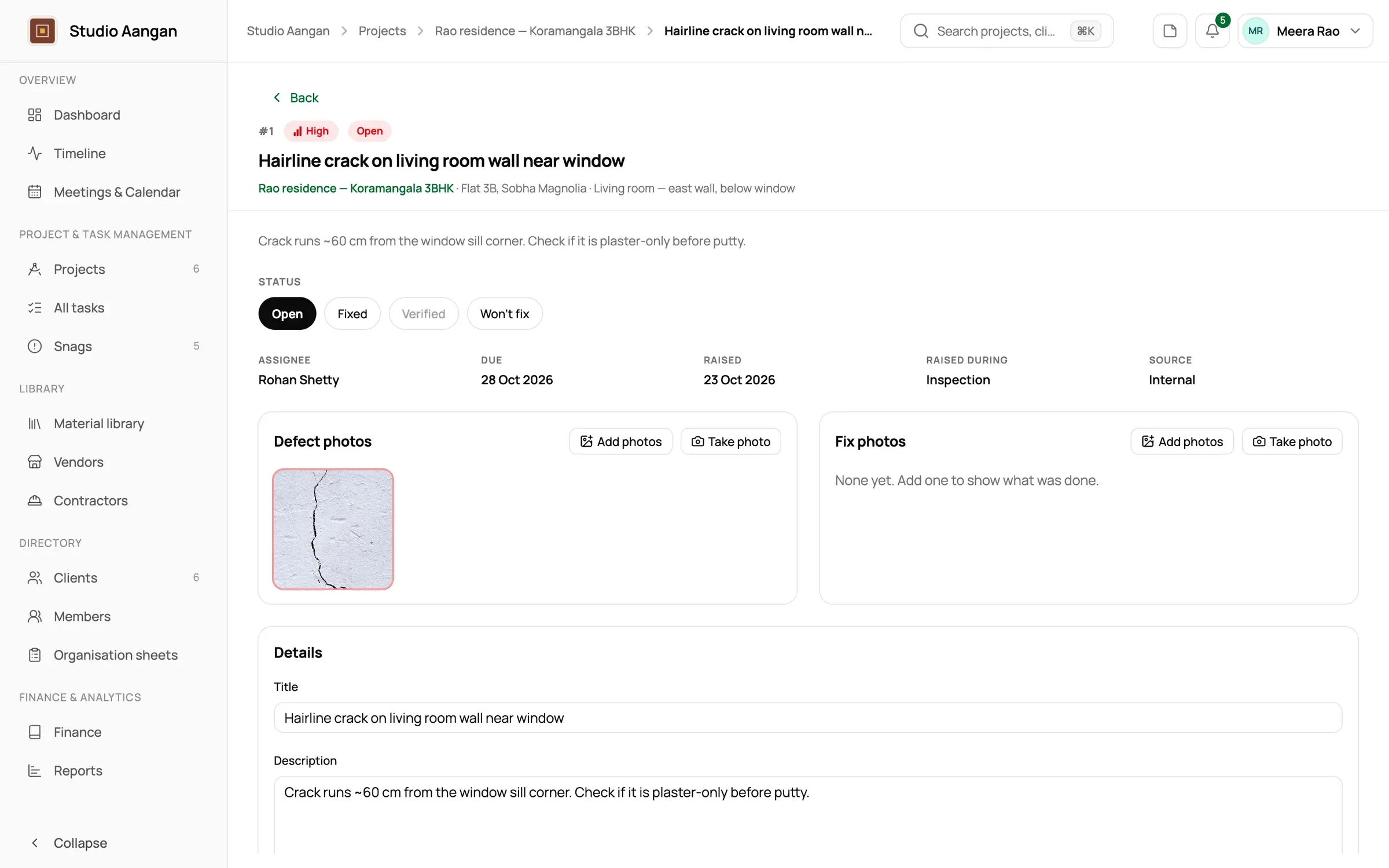
Snags

Snags closed properly, not just ticked off.

Keep a snag list that actually closes: raise a defect with photos and the spot it sits in, assign it, and have someone other than the fixer verify it.

  • Snag photos, kept with the snag through its fix
  • Low, Medium or High severity
  • A free-text spot such as “kitchen, under the window”
  • Verification by someone other than whoever did the work
  • Won't fix, always with a reason, instead of quietly deleting
  • Raised during inspection at handover or under warranty afterwards
  • Who noticed it: the studio, or the client
Studio noteA snag list that actually closes →
A project's snags list with photos, severity and status
SheetA-102TitleSnags · Studio AanganScaleNTSdoyourdesign
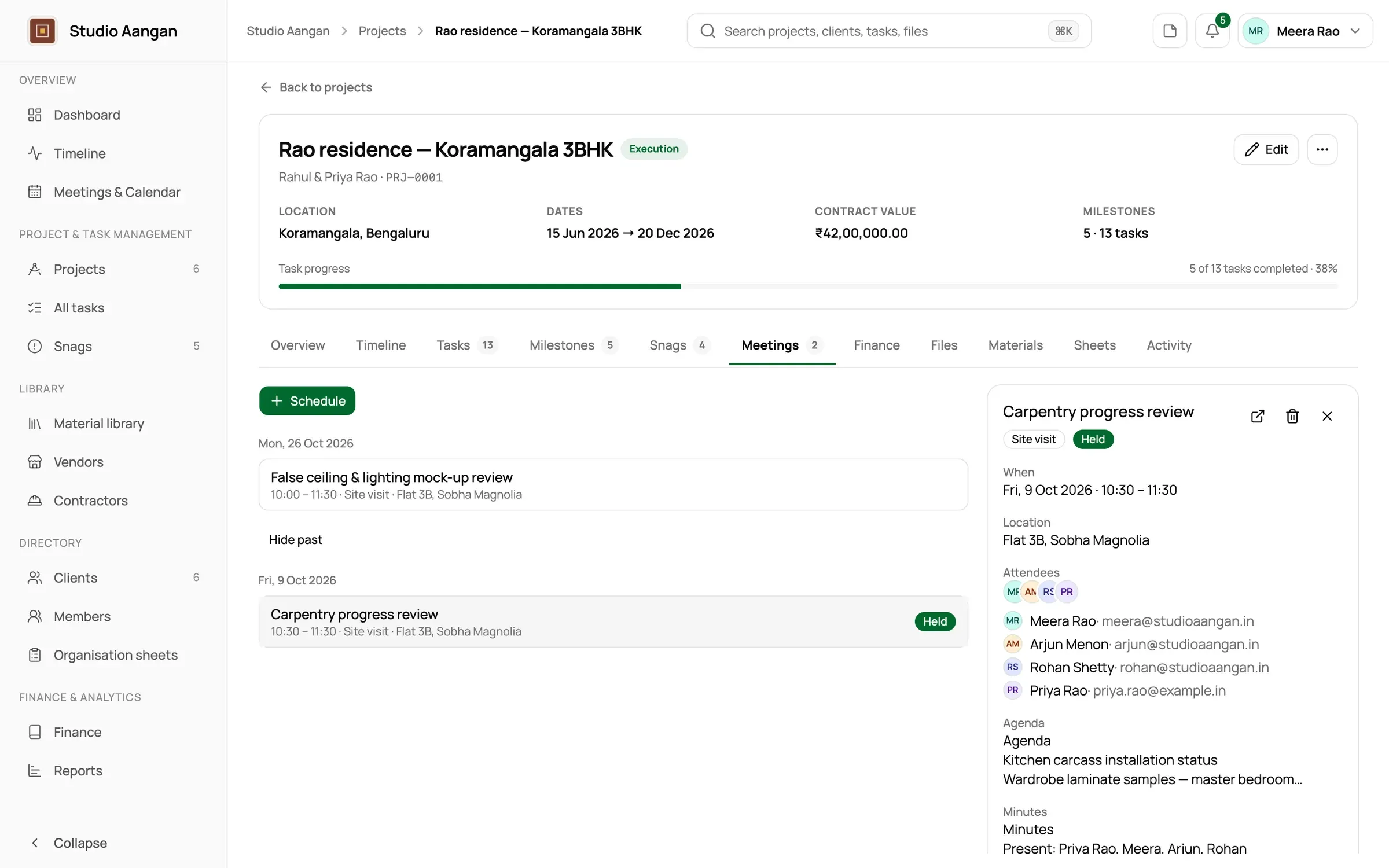
Site visits & meetings

Site visits and meetings, minuted and sent.

Plan the agenda, hold the visit, write the minutes, and email them to the client and contractors who attended, straight from the appointment.

  • Meetings and site visits on the studio calendar, timed or all-day
  • Attendees from the team, the client, location contacts or contractors
  • An agenda written before, minutes written after
  • Minutes started from your own minutes template
  • Minutes emailed to attendees, with an exact record of what was sent
  • Google Meet links on meetings, for those who connect their Google account
  • Files attached to each appointment
Studio noteSite visit minutes clients actually read →
An appointment with its agenda, attendees and minutes
SheetA-103TitleSite visits & meetings · Studio AanganScaleNTSdoyourdesign

Illustration · Minutes emailed to attendees, under your studio's logo

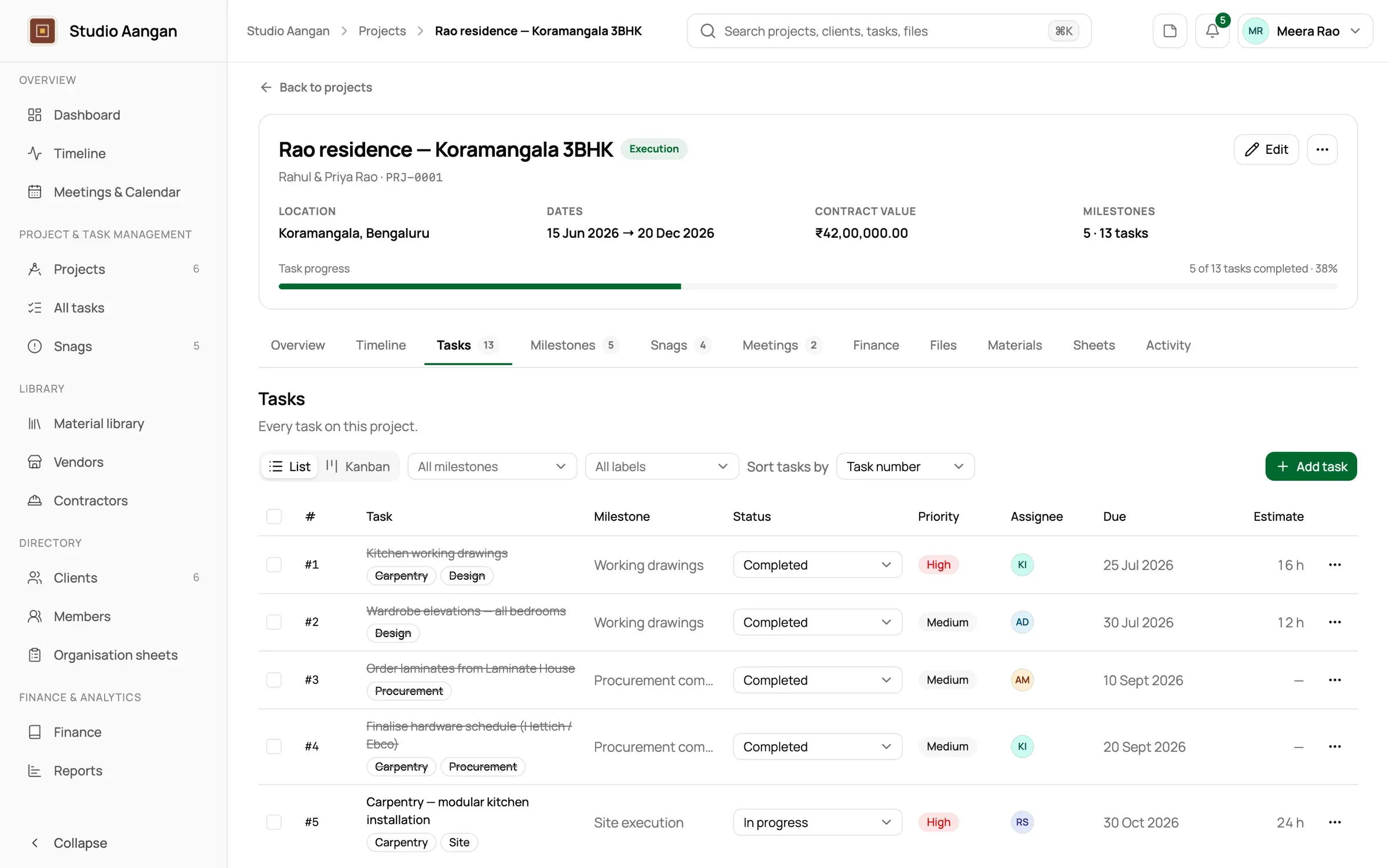
Milestones & tasks

A plan the whole team can work from.

The project lead sets out milestones and tasks; everyone else works their own, with subtasks, dependencies and a reason whenever something is blocked.

  • Milestones such as “Concept sign-off”, with progress read from their tasks
  • Tasks with subtasks, priority, labels, due dates and estimates
  • Dependencies: a task can't start until the one it waits on is done
  • A required reason when a task is blocked on the client or a supplier
  • Your own task statuses on top of the core ones
  • Comments, task files and a full activity log
  • My Tasks for each member; All Tasks for owners and admins
  • Notifications when you're assigned, someone comments, a dependency clears or a due date arrives
A project's tasks grouped by milestone with assignees and due dates
SheetA-104TitleMilestones & tasks · Studio AanganScaleNTSdoyourdesign
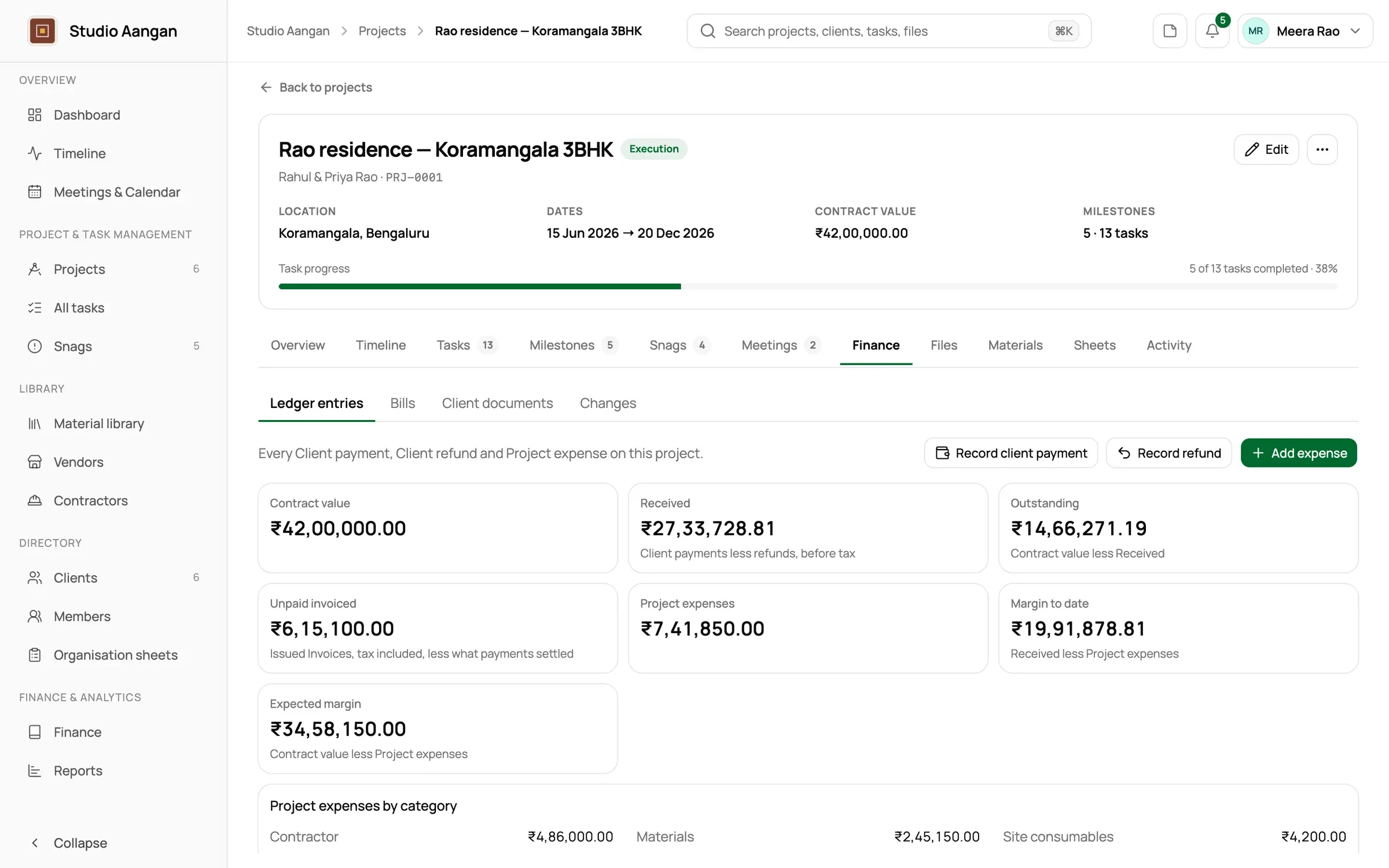
Ledger & margins

Know what every project is earning.

Record money as it actually moves: client payments in, project expenses out. Contractor bills, markup and advances sit beside them, so margin to date is always one look away.

  • Client payments, refunds, project expenses and office expenses
  • Contractor bills taken from the slip, settled in one payment or several
  • Markup lines added on a bill's way to the client, never shown to them
  • Billable extras billed on top of the contract value
  • Advances to contractors before their slip arrives
  • Margin to date, expected margin and the studio's net profit
  • Your own expense and client payment categories
  • Finance closed to members: only those you grant it see the money
A project's ledger with client payments, expenses and margin to date
SheetA-105TitleLedger & margins · Studio AanganScaleNTSdoyourdesign
Quotations & GST invoices

Quotations and GST invoices on your letterhead.

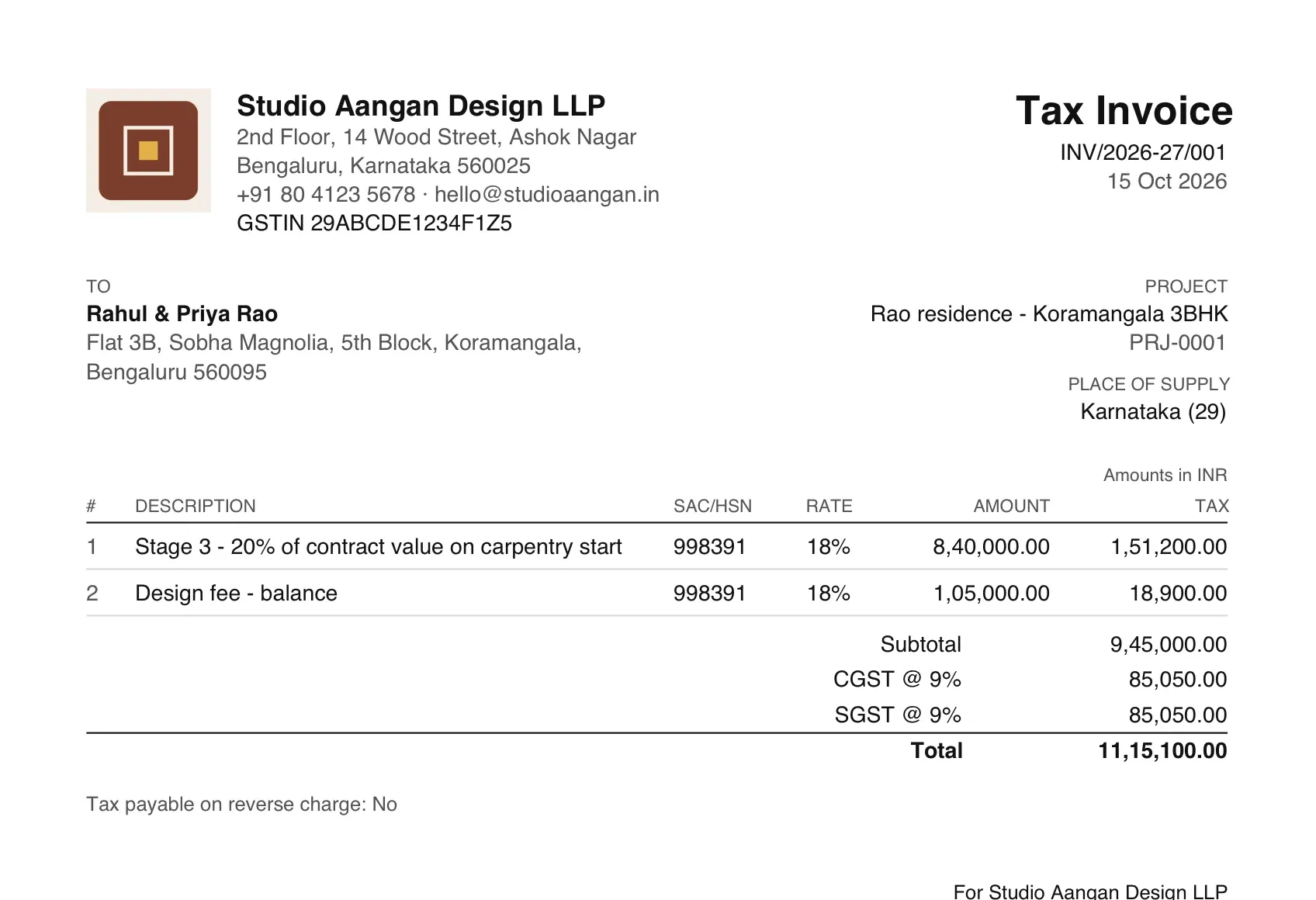
Quote billable extras, invoice contract stages, and let place of supply decide CGST and SGST or IGST. Every document is numbered per financial year.

  • Quotations, invoices, credit notes and payment receipts
  • Printed as a Tax Invoice, Bill of Supply or plain invoice by your GST registration
  • CGST and SGST in your state, IGST outside it, from the place of supply
  • Numbers like INV/2026-27/014, never reused
  • Your letterhead: legal name, address and logo on every document
  • Client payments allocated against the invoices they settle
  • Your financial year and tax rates, set once
Studio noteCGST, SGST or IGST? Place of supply for interior design invoices →
A GST tax invoice on the studio's letterhead
SheetA-106TitleQuotations & GST invoices · Studio AanganScaleNTSdoyourdesign
Material library

Your material library, with who sells it and for how much.

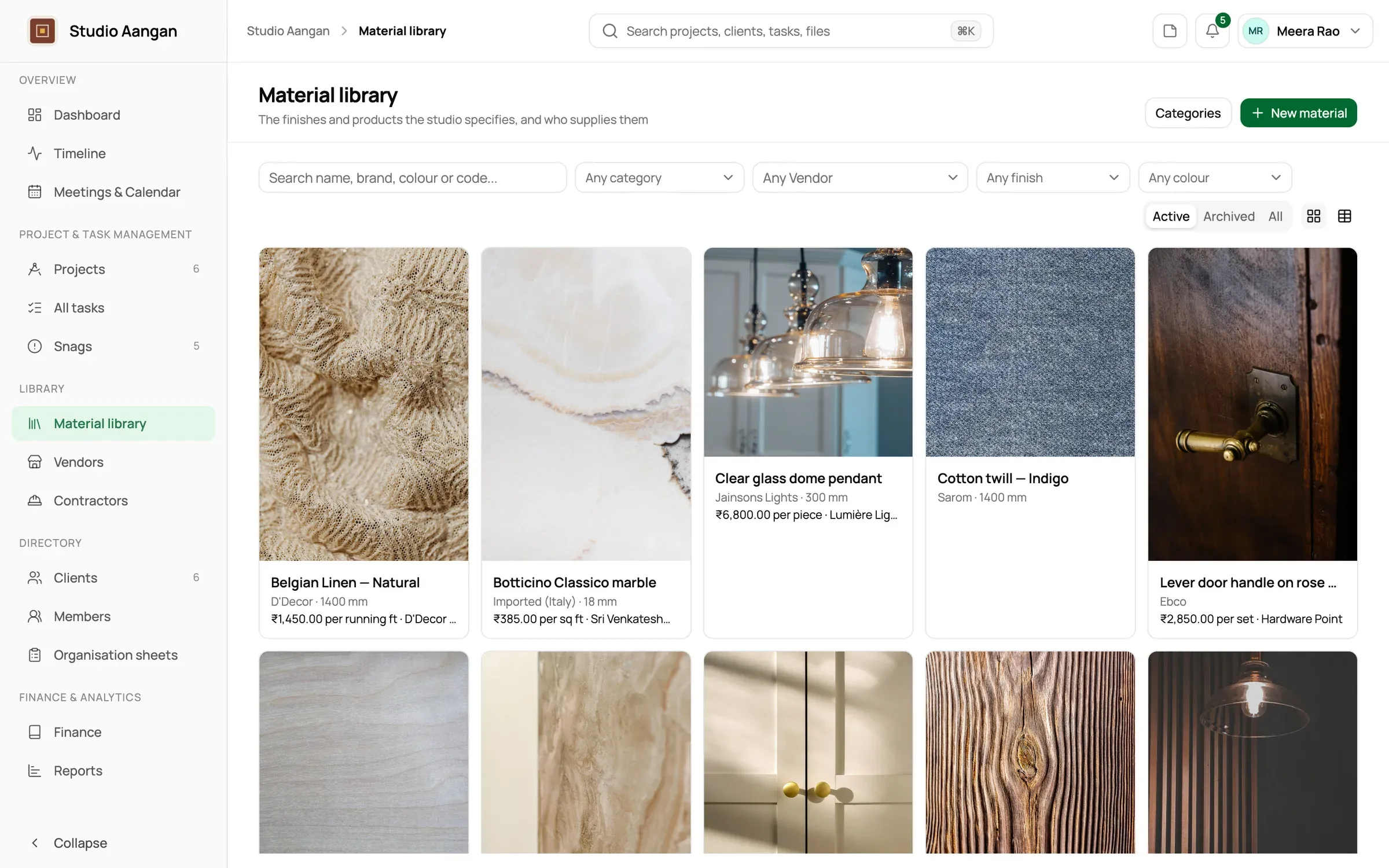
Catalogue the laminates, tiles, fabrics and fittings you specify, the vendors who sell them, and specify them on projects at the price they had that day.

  • Materials grouped by your own categories, with up to ten photos each
  • A vendor directory with contacts, addresses and GST numbers
  • Each vendor's price, unit, code and delivery time for a material
  • A preferred source per material
  • Project materials that keep the price they were specified at
  • Prices seen only by those you allow
The material library with photos of laminates, tiles and fabrics
SheetA-107TitleMaterial library · Studio AanganScaleNTSdoyourdesign
Templates & sheets

Your studio's paperwork, as templates.

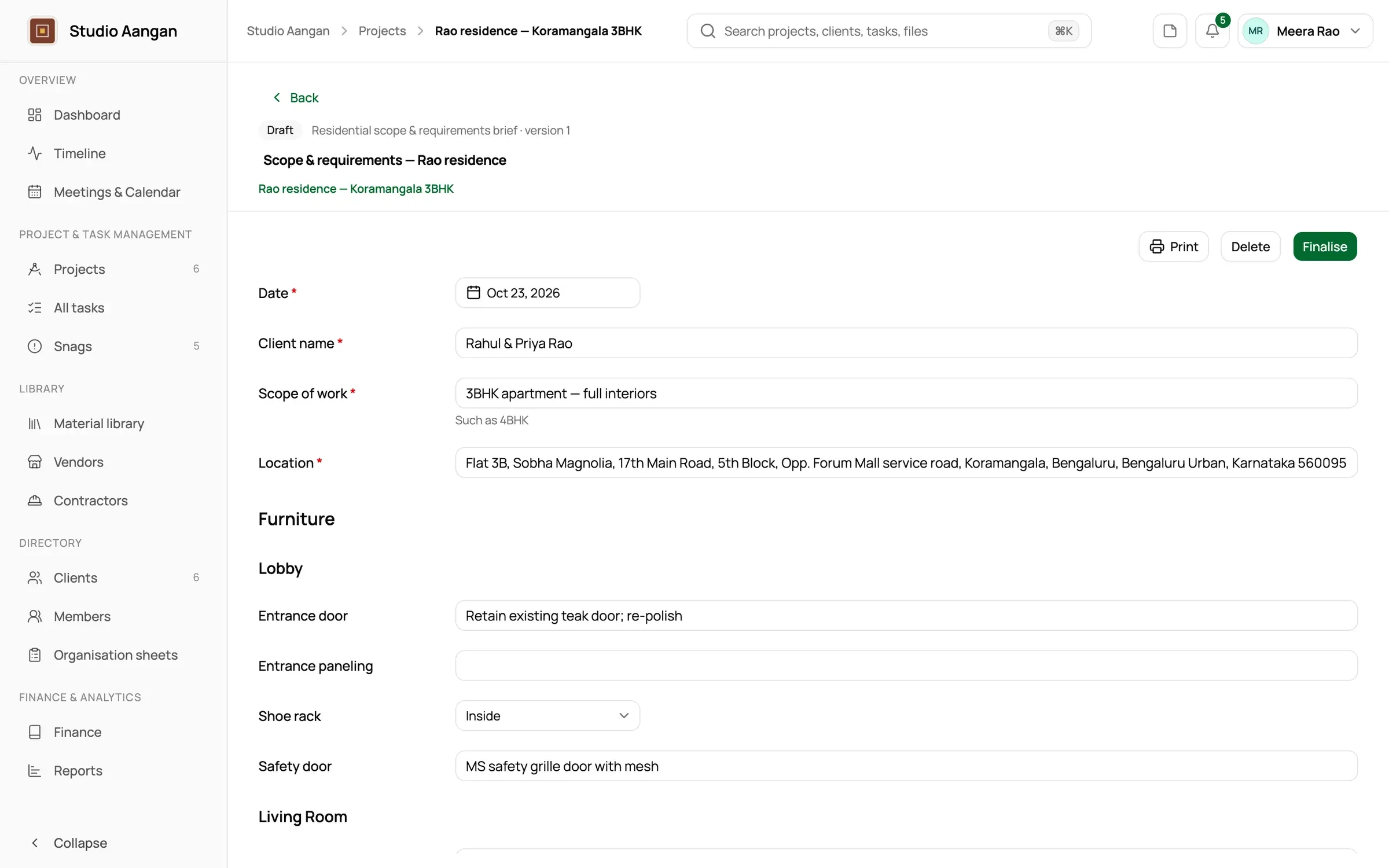
Turn a scope & requirements brief or a minutes format into a template with fields, then fill a sheet from it on each project.

  • Project, studio and minutes templates, versioned on publish
  • Fields for text, numbers, money, dates, choices, yes/no and tables
  • Repeatable sections, one per bedroom or per floor
  • Sheets that keep their template exactly as it was when started
  • Finalise a sheet to freeze it; every reopening is recorded
A scope and requirements sheet being filled in on a project
SheetA-108TitleTemplates & sheets · Studio AanganScaleNTSdoyourdesign
Dashboard & reports

The whole studio, on one page.

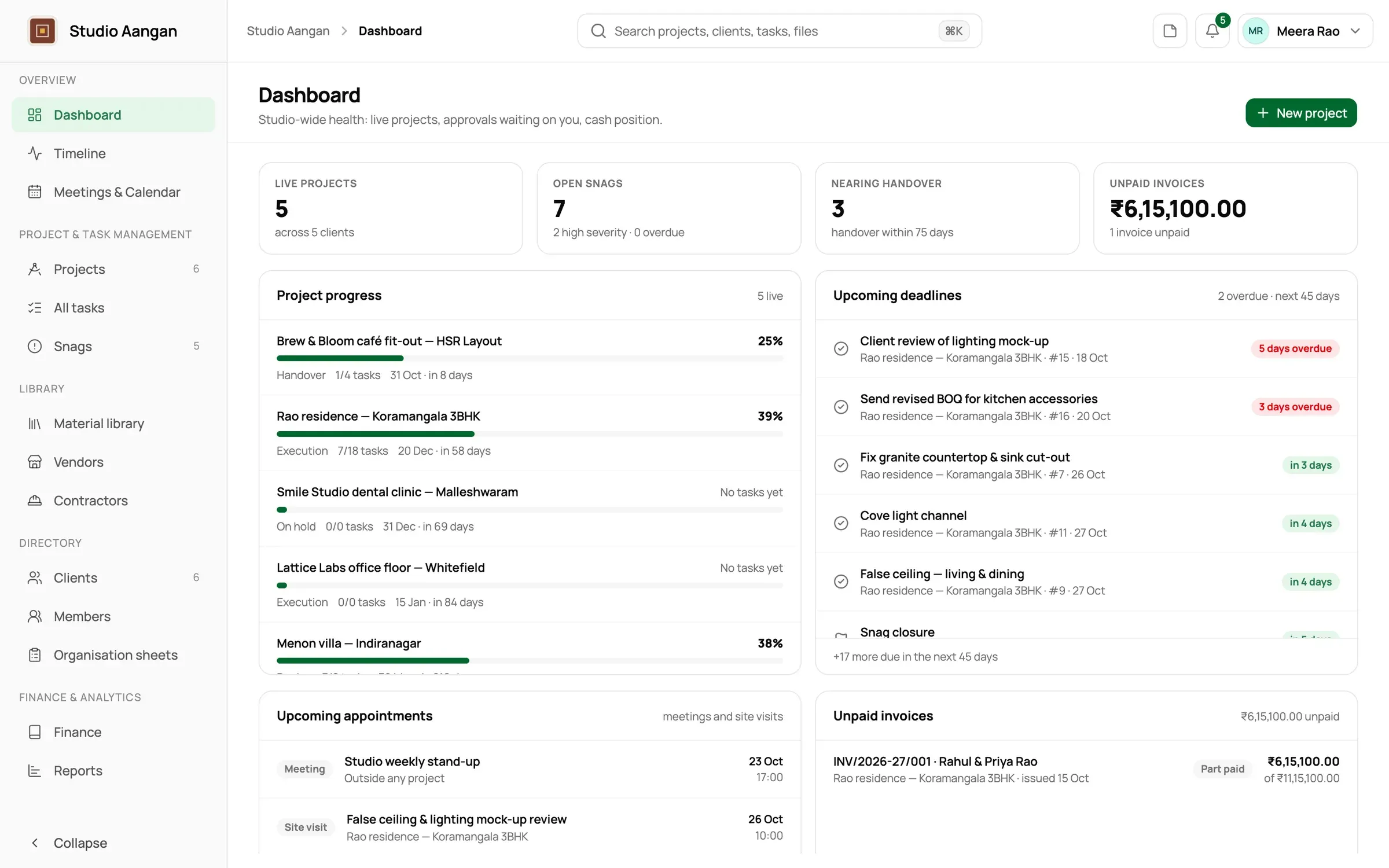
A dashboard of what's due and overdue across every project you can see, and reports on progress, milestones, money and appointments.

  • A dashboard of upcoming deadlines and overdue work
  • Project progress: tasks by status, overdue and share completed
  • Milestone timeline: days remaining or passed for each milestone
  • Project finances: received, expenses and margin to date
  • Appointments: every visit and meeting, and whether minutes were written
  • Narrow by client, project and period, including your financial year
  • Global search across projects, clients, tasks, snags, materials and more
The dashboard with upcoming deadlines and project progress
SheetA-109TitleDashboard & reports · Studio AanganScaleNTSdoyourdesign

Book a walkthrough

See it with your own projects.

Tell us how your studio works today. We'll show you DoYourDesign with projects like yours, and talk pricing that fits your size.